A documenttype usually contains one or more input fields. All these fields are completely user-editable. You can edit or remove existing fields, or add new fields.
The different field types
- Fixed text: This will show a block of fixed, read-only text. Specify the text in the "Default value" tab.
- Text-input field : a (stylable) text input field with or without favorite buttons and favorite strip
- Yes / No : a checkbox users can check or uncheck
- Date : a date-selection field which will show a calendar when clicked
- Autonumber : A field with only one number in it, which is automatically filled when you create a new document. This number will be incremented by 1 each time you create a new document. In this way you can supply your documents with a unique number. The autonumber itself can be changed when you edit the documenttype, tabpage 'General data', field 'Autonumber start'.
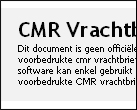
Fixed text |
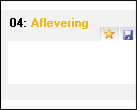
Text-input |
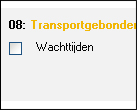
Yes / No |
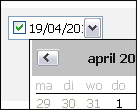
Date |
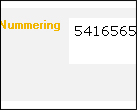
Autonumber |
General field data
- Position : the position of the field on the document, measured in millimeter (mm). X is the distance between the left side of the page and the left side of the field. Y is the distance between the top of the page and the top of the field.
- Size : The width and height of the field, measured in millimeter (mm).
- Default font : The default font for this field, when a new document is created.
also see: Default fonts
- Favorites : Check this field if you want to show favorite buttons on top en right next to the field.
Field title
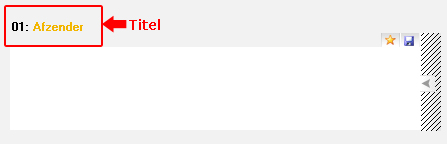
Each field can have a descriptive title. This title acts like a separate textblock that can be shown on the document, preferably on top of the field. This is usually done if the document doesn't contain a background image, and only fields are shown.
This title is also used to identify the field in the list of fields of the documenttype (as the fieldname), so it's recommended you always add a descriptive title for your field, even if you don't show it on the document.
Default value of a field
The "Default value of a field" parameter is used as an initial value for the field, when a new document is created.
This parameter is different for each field type:
- Fixed text : There is no initial value, but the fixed text. Fill in the fixed text in the "Default value" tab.
- Text-input field : Fill in the initial value for this field in the "Default value"
- Yes / no : Use the checkbox in the "Default value" tab to specify wether the checkbox must be initially checked or not
- Date : Use the "Default value" tab for specifying both the format of the date field, as the initial value:
- Default value: set the default date as a fixed date, or the date of creation of the document (today)
- Datefield with time: check this field if you also want to show the time next to the date
- Date standard on: Date fields are disabled by default when you create a new document. If you check this field, the date field will be enabled and thus will print it's date without interference from the user.
Order field links
See: Automatically generating documents - Order field links
|